
I had already connected my Oracle APEX AI Ticketing application to a Custom GPT using ORDS and GPT Actions. That let ChatGPT read and create tickets through a REST API.
I wanted to use Codex to make a change to the APEX application itself, using SQLcl MCP and APEXlang.
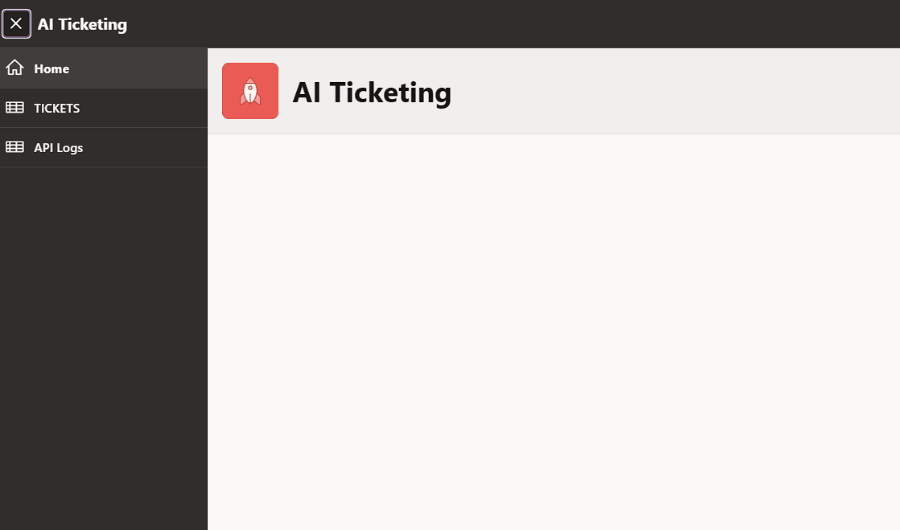
I started with a small change. The Home page was mostly empty, so I wanted Codex to add a card showing the current number of open tickets. I wanted it to inspect the real Oracle schema, edit the APEXlang files and validate the change, not just generate some SQL for me to copy into Page Designer.
Starting with an existing APEX application
I used the same AI Ticketing project from my previous articles. It already had ticket pages, an ORDS API and an APEXlang export in Git.
My environment was Oracle AI Database 26ai, APEX 26.1.6, SQLcl 26.3 and Codex CLI on Windows. I used Java 21 for SQLcl.
The database table was AIT_TICKETS. I wanted the new card to use live data from that table rather than a hardcoded number.
Connecting Codex through SQLcl MCP
I already had an Autonomous Database wallet. I pointed SQLcl to its directory using TNS_ADMIN, then created a saved connection named ticketing_dev:
$env:TNS_ADMIN = "C:\path\to\wallet"
sql /nolog
Inside SQLcl:
conn -save ticketing_dev -savepwd WKSP_AITICKETING@<TNS_ALIAS>
SQLcl prompted for the password and saved the connection locally. The -savepwd option matters because an MCP client cannot interactively enter the database password each time it needs to run a query.
I registered SQLcl as an MCP server in Codex:
$sqlcl = (Get-Command sql.exe).Source

codex mcp add sqlcl `
  --env "TNS_ADMIN=C:\path\to\wallet" `
  -- $sqlcl -mcp
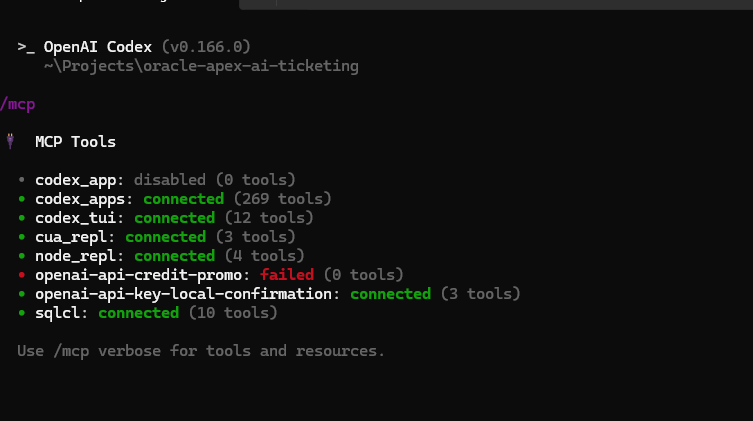
After restarting Codex, /mcp showed sqlcl: connected with ten available tools.
I also installed the official Oracle Skills from SQLcl:
skills sync -skill-name apex,db
skills list
MCP gives the agent a way to access the database. The skills give it Oracle-specific instructions and examples for working with APEXlang and SQLcl. I wanted both before letting it edit the application.
Giving Codex one small change
I opened the Git repository in Codex and asked it to:
Connect only to
ticketing_devthrough SQLcl MCP. InspectAIT_TICKETSand the existing APEXlang project. Add a card to the Home page showing the number of tickets with statusOPEN. Keep the existing Hero region, validate the change, and show the Git diff. Do not deploy anything.
Codex used the MCP tools to check the connected schema and inspect the table. It found the existing Home page at:
apex/pages/p00001-home.apx
It then added a Cards region using a query equivalent to:
SELECT COUNT(*) AS open_ticket_count,
       'Open tickets' AS label
  FROM ait_tickets
 WHERE status = 'OPEN';
At the time of the test, the query returned 4 open tickets.
During validation, I ran into a line-ending issue. SQLcl's APEXlang parser rejected the Windows CRLF line endings in the checkout. Codex added a .gitattributes rule to keep the .apx files in LF format:
/apex/**/*.apx text eol=lf
After that, the APEXlang validation passed. The Git diff contained the Home page change and the new .gitattributes file. The existing Hero region stayed in place.
Importing the APEXlang changes
At this point I approved deployment to my development application, ID 100.
Codex backed up the existing application and tried to import the APEXlang source through SQLcl MCP. The attempt failed with:
ORA-17274: SQLcl could not roll back because
           the MCP connection has autocommit enabled
The MCP connection had autocommit enabled. Running SET AUTOCOMMIT OFF through that connection did not change the connection-level setting. Codex stopped after the failure and re-exported the application to check its state. The KPI had not been deployed.
I switched to a normal, interactive SQLcl session and reused the saved connection:
cd .\apex
sql /nolog
conn -name ticketing_dev
SET AUTOCOMMIT OFF
SHOW AUTOCOMMIT

apex validate -input .
apex import -input .
This time both commands succeeded:
Validation successful.
Importing application ID: 100 into workspace: AI_TICKETING
Import successful.
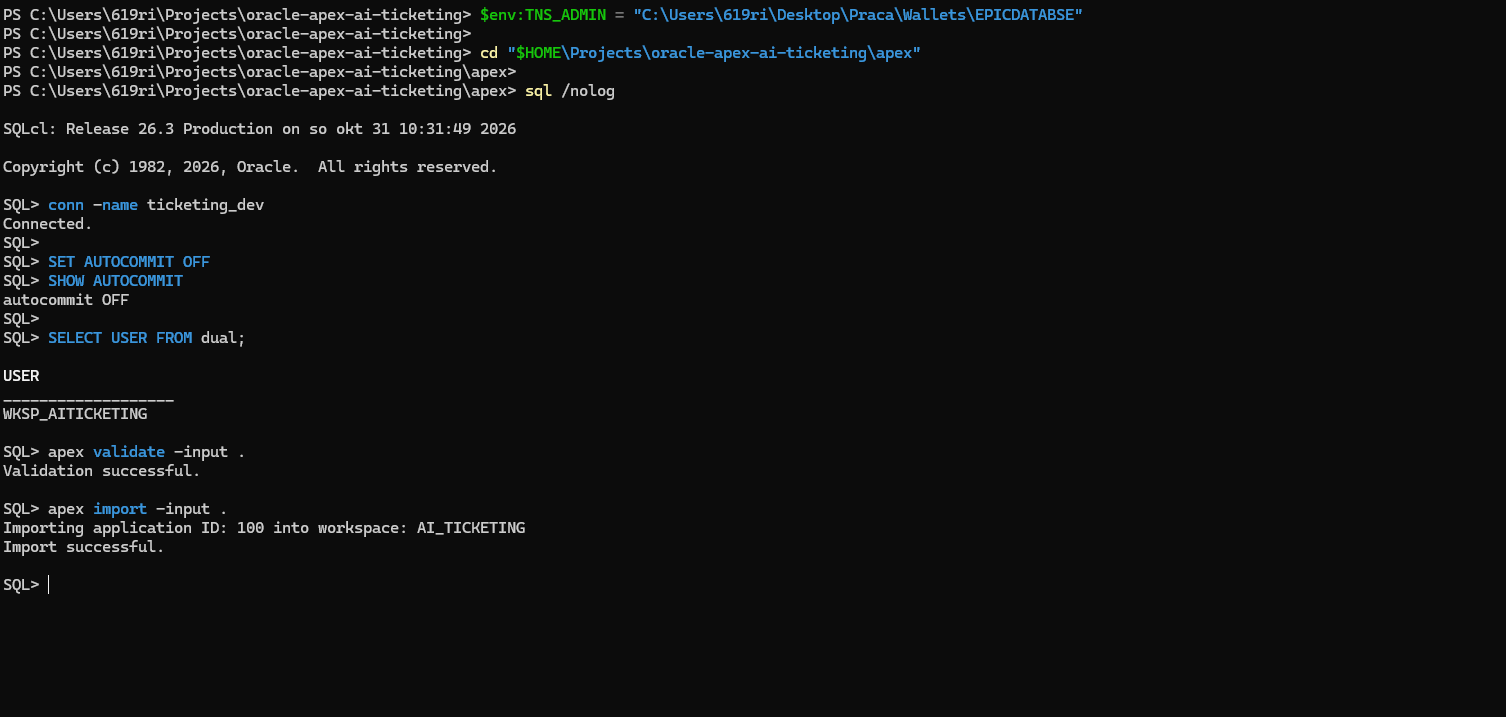
Because the target was APEX 26.1.6, I used a full application import rather than a file-level import. That is also why taking a backup and checking the source differences beforehand mattered.
The result
After refreshing the Home page, the new card appeared below the original Hero region.
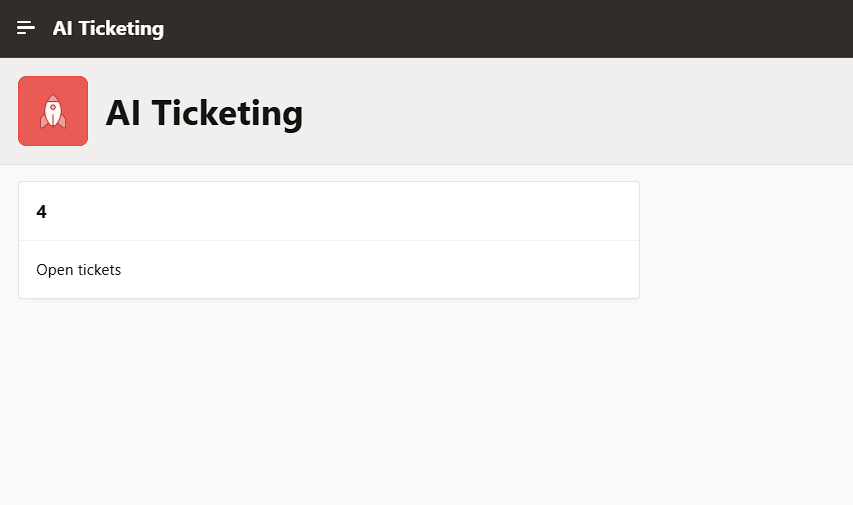
AIT_TICKETS.Nothing complicated was added to the application. It was just one Cards region and a simple SQL query.
The change was small, but it covered the workflow I wanted to try. Codex could read an existing APEX project, use SQLcl MCP to inspect the actual database, follow the APEXlang skills and make a valid source change. I still reviewed the diff and handled deployment separately.
Codex made the source change and validated it, but I still reviewed the diff before deployment. The import through SQLcl MCP failed because of the autocommit setting. Importing through an interactive SQLcl session worked.
Next I want to make a change that involves both APEX page logic and PL/SQL, rather than just a KPI card.
Source code
The project is available on GitHub: oracle-apex-ai-ticketing.
Useful references: Oracle APEXlang documentation and Oracle Skills.